Desktop Goblin
A downloadable tool
What is Desktop Goblin?
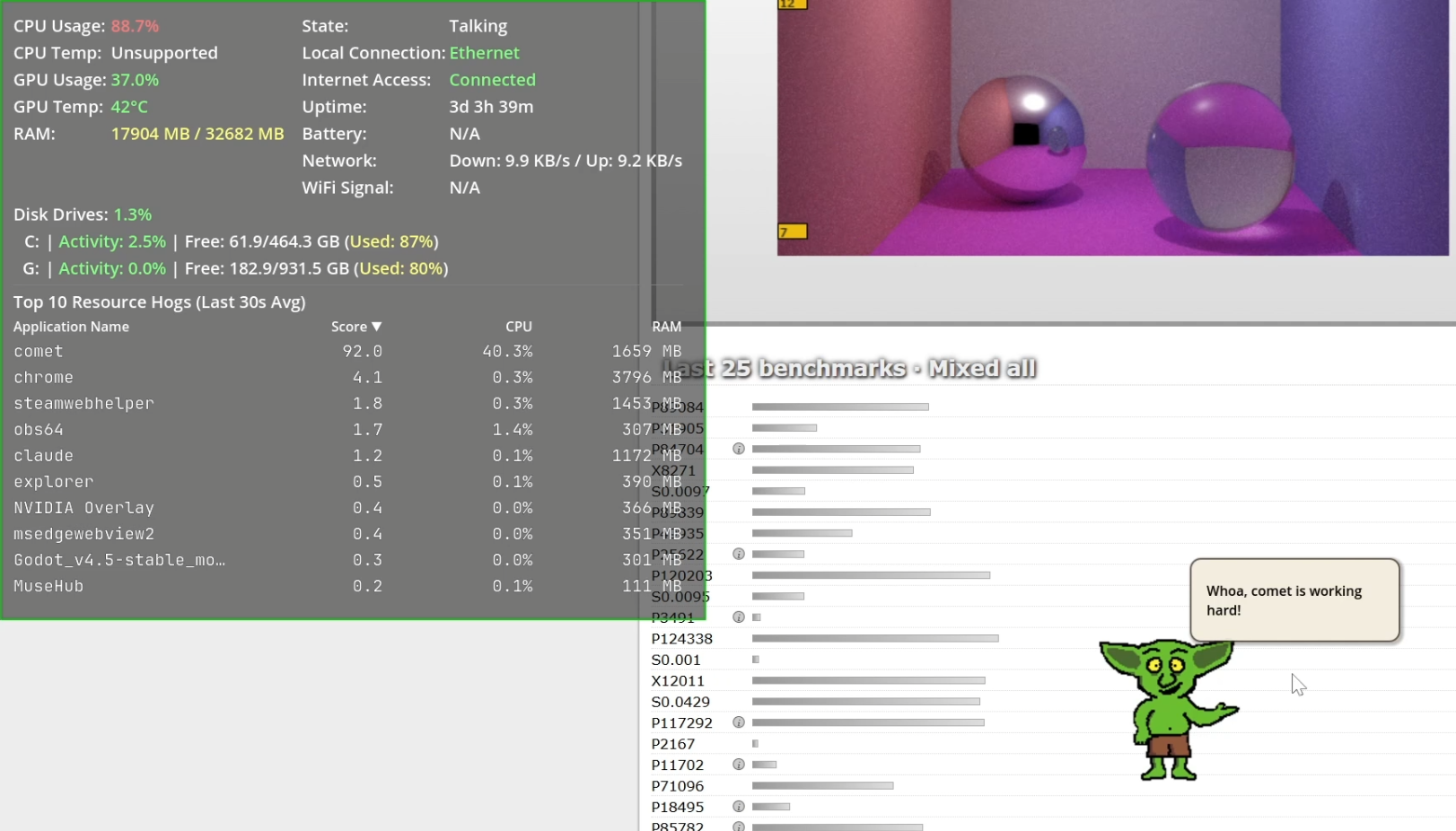
Desktop Goblin is a character-driven system monitor that lives on your desktop. Instead of staring at graphs and numbers, you get a little animated goblin who watches your CPU, RAM, disk, network, and battery — and tells you about it in plain language through speech bubbles.
He walks around and when something's actually wrong with your system, he'll let you know — without making you panic about it.
What does it monitor?
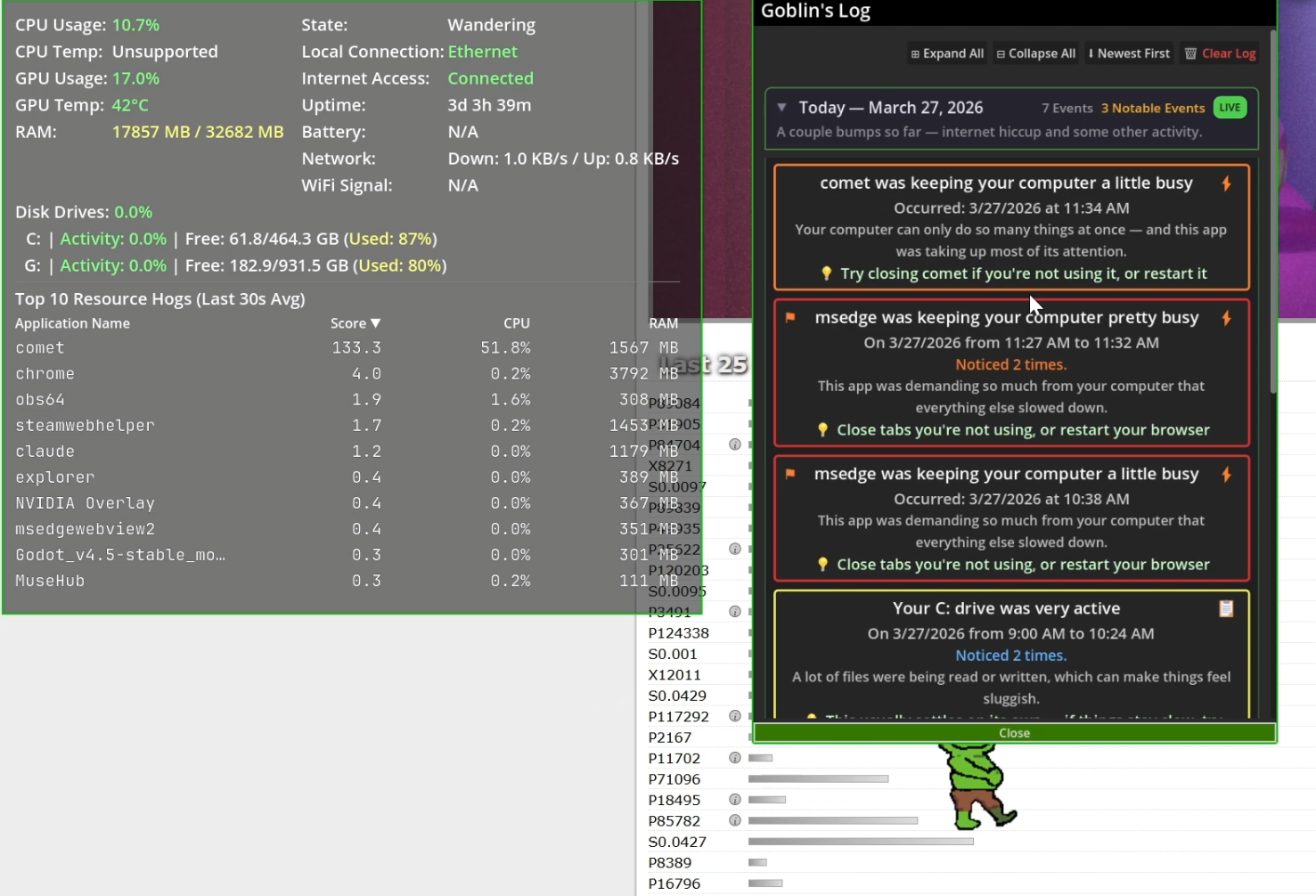
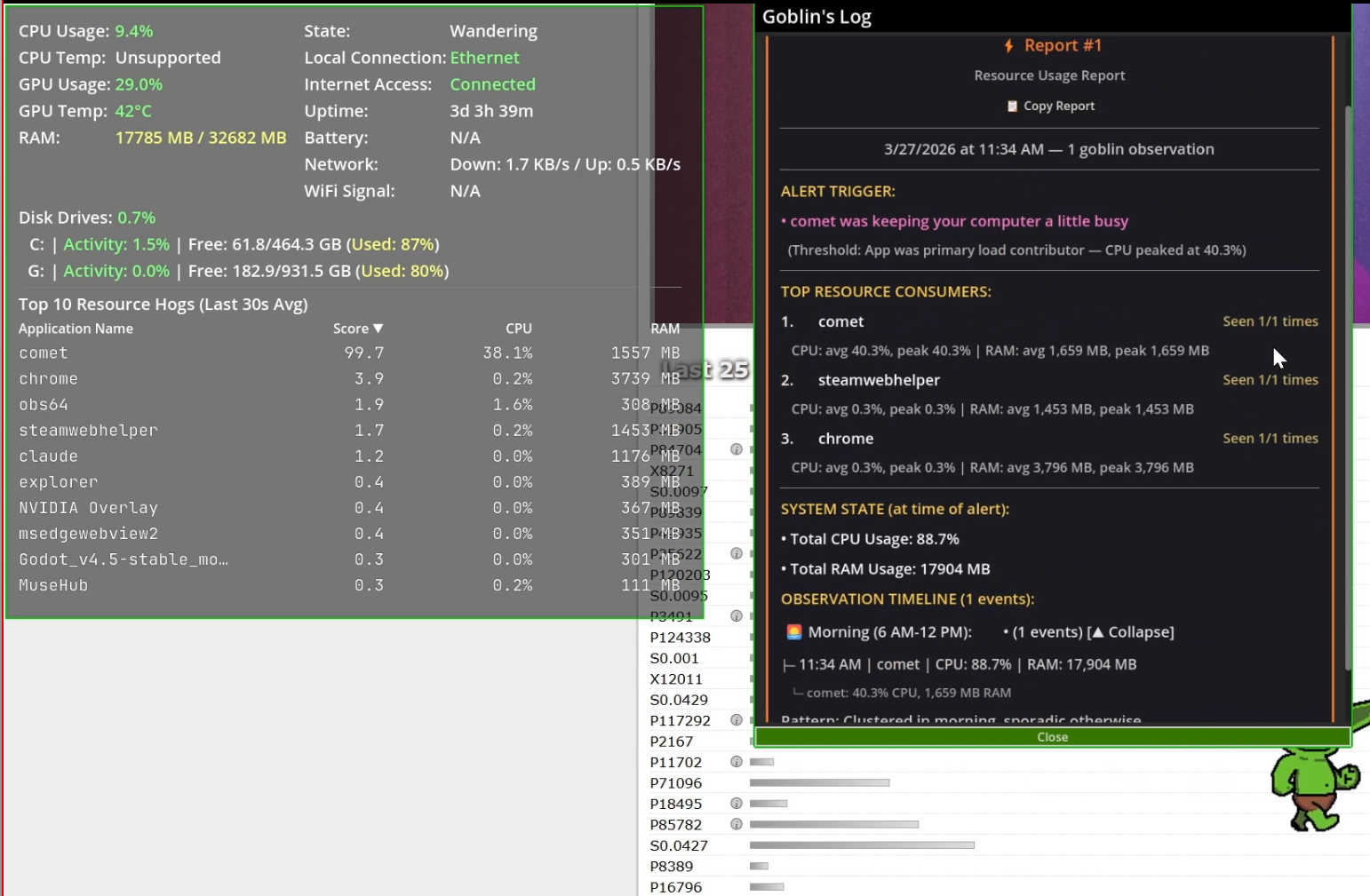
The status window gives you a real-time dashboard overlay with color-coded severity (green/yellow/red) across all of these fields:
- CPU — usage percentage and temperature
- GPU — usage percentage and temperature
- RAM — used vs. installed (in MB)
- Disk drives — per-drive activity percentage, free/total GB, and used percentage, plus total disk activity across all drives
- Network — download and upload speeds, local connection type (Wi-Fi, Ethernet, etc.), internet access status (connected/disconnected), and Wi-Fi signal strength
- Battery — current percentage with low/critical warnings
- Uptime — how long your system has been running
- Top 10 Resource Hogs — a ranked table of running apps by score, CPU%, and RAM usage (averaged over a 30-second rolling window)
The Logbook
Every alert the goblin gives you gets logged in a structured logbook you can open anytime. Entries are grouped by day, rolled up by pattern (for example, 15 "Chrome is using a lot of RAM" alerts become one card, not fifteen), and labeled with category icons and severity. The goblin even writes a little summary for each day — "Busy day with a few things going on" or "Quiet day. Nothing to report!"
What else?
- Customizable — name your goblin, tweak alert thresholds, resize the status window and logbook, toggle what you want to see in the overlay
- Mini games — Clicker Challenge and Bug Squash, because even goblins need derpy distractions
- Draggable — pick him up and put him wherever you want on your screen
- Non-intrusive — auto-hides during fullscreen apps, click-through when you're not interacting with him, mute mode when you need quiet
- Privacy-first — no telemetry, no cloud sync, no accounts. Everything stays on your machine. Feedback is opt-in via a sanitized log export + a Google Form.
Who is this for?
- People who want to know how their computer is running without being an expert.
- People who want an easy-to-understand log of computer-related events.
- Power users who appreciate a detailed logbook behind the cute exterior.
- Anyone who just thinks a little goblin on their desktop sounds fun.
Download
Click download now to get access to the following files: